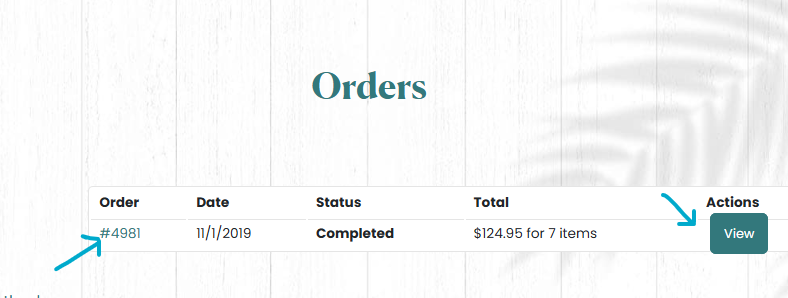
Need to review your past purchases or download an invoice? It’s easy to access your order history directly from your account on our website. Follow these steps:
Step 1: Log in to Your Account #
Start by logging into your account. If you don’t have an account yet, you’ll need to create one to access your order history.
Step 2: Navigate to the Orders Section #
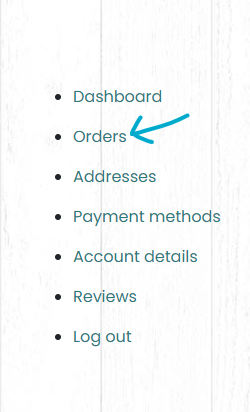
Once logged in, go to the “My Account” section and click on “Orders” from the sidebar menu.

Step 3: View Your Order History #
You’ll see a list of all your past orders, including the order number, date, status, total amount, and the number of items purchased. Locate the order you want to review.
Step 4: Access Order Details #
Click on either the order number or the “View” button next to the order. This will bring up a detailed view of your order, including:
- Order status (e.g., completed, pending).
- Price details (total cost, breakdown of items purchased).
- Shipping address and billing address.
- Email address and contact number associated with the order.
- If available, tracking information to follow your shipment’s progress.
You can also save or print invoices directly from this page for your records.